
Nothing kills the vibe of a high-stakes clutch moment like your teammates hearing your mechanical keyboard clacking louder than your actual voice. We’ve all been in those Discord calls where one person sounds like they’re talking through a tin can while standing next to a jet engine. It’s frustrating because you can have the fastest GPU and a 360Hz monitor, but if your communication is muddy, your professional image takes a hit.
Most “gaming” headsets prioritize comfort and RGB over actual audio fidelity, which is why a dedicated setup is no longer just for pros. This year, the market has shifted toward specialized gear that bridges the gap between bedroom streaming and studio recording. This guide breaks down the best gaming microphone choices that actually deliver crisp, broadcast-quality audio without requiring a degree in sound engineering.
Why Your Gaming Setup Needs a Dedicated Microphone
If you’ve spent any time looking at the top streamers on Twitch or YouTube, you’ll notice a common trend: almost none of them use the mic attached to their headset. There is a physical limit to how much technology you can cram into a tiny plastic arm dangling off your ear. Standalone microphones use larger capsules and better internal components that capture the nuances of your voice, making you sound more authoritative and present.
When I first switched from a headset mic to a dedicated desk mic, my community immediately noticed the “radio” quality of my voice. It isn’t just about sounding better; it’s about reducing the listener’s fatigue so people actually want to stay and listen to your commentary for hours.
What is the best gaming microphone for 2026?
The best gaming microphone should offer a cardioid pickup pattern to ignore background noise, a high sample rate (at least 24-bit/96kHz) for clarity, and easy-to-reach physical controls like a mute button or gain knob. For most users, a USB plug-and-play mic like the HyperX QuadCast S or the SteelSeries Alias is the ideal balance of performance and simplicity.
- Superior Capsule Size: Larger diaphragms inside these mics allow for a wider frequency response, capturing deep lows and crisp highs.
- Background Noise Rejection: Most dedicated gaming mics are designed to focus strictly on what’s directly in front of them, ignoring your PC fans.
- Versatility for Creators: A good mic works for more than just gaming; it’s a tool for voiceovers, work meetings, and even starting a podcast.
1. Shure SM7B: The King of Broadcast Audio
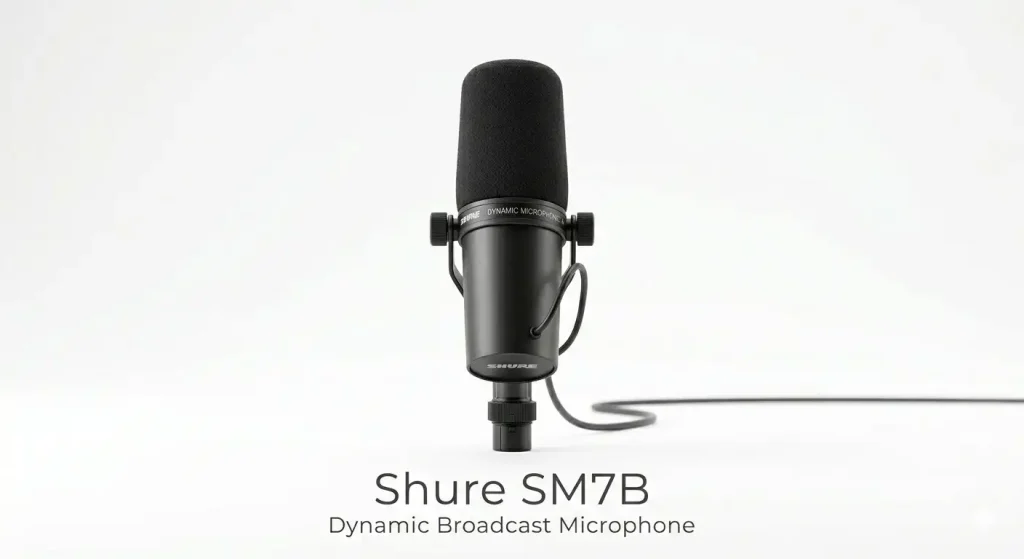
If you want the absolute gold standard and have the budget to back it up, the Shure SM7B remains at the top of the food chain. It’s a dynamic microphone, which is a fancy way of saying it’s a tank that refuses to pick up noise from your neighbor’s lawnmower or your clicking keyboard.
I’ve found that this mic specifically helps people with “peaky” voices – it smooths everything out and gives you that deep, rich tone you hear on professional FM radio. You will need an XLR interface and likely a preamp like a Cloudlifter to get the most out of it, but once it’s set up, it’s arguably the most reliable piece of gear you’ll ever own.
- Unmatched Durability: This is an investment piece that can literally last decades if you treat it with even a modicum of respect.
- Internal Shock Mounting: It handles vibrations from your desk remarkably well, meaning you won’t hear a “thump” every time you move your mouse.
- Legendary Sound Profile: It provides a flat, natural frequency response that makes every voice sound professional without heavy editing.
2. SteelSeries Alias: The Best for Modern Desks
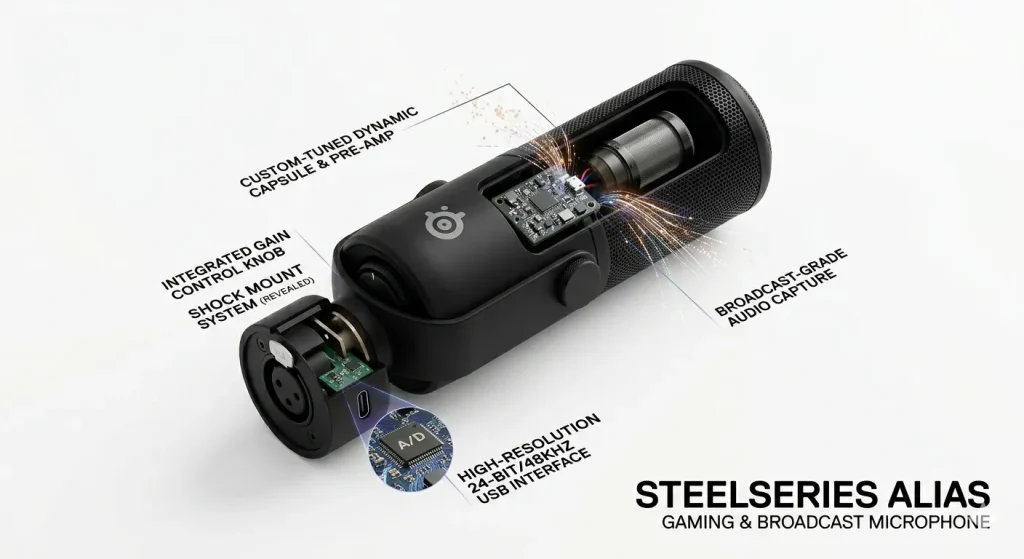
SteelSeries recently stepped into the dedicated mic space, and they did it by looking at what gamers actually need. The Alias isn’t just a repurposed studio mic; it features a massive 1-inch capsule – three times larger than what you’ll find in most competitors. This results in a much warmer, more detailed sound that feels very “in the room.” During my testing, I was particularly impressed by the LED level monitoring on the front of the mic.
It gives you real-time feedback on whether you’re “clipping” (getting too loud), which is a lifesaver when you’re in the middle of a chaotic match and don’t have time to check your software.
- Built-in Gain Monitoring: The LED strip on the front tells you exactly when you’re too loud, preventing distorted audio for your viewers.
- Custom Sonar Software: The included software allows you to mix your game audio, chat, and mic levels independently with professional-grade EQ.
- Contemporary Design: It looks sleek on a boom arm and avoids the “bulky” look of older broadcast microphones.
3. HyperX QuadCast S: The Fan Favorite for Style
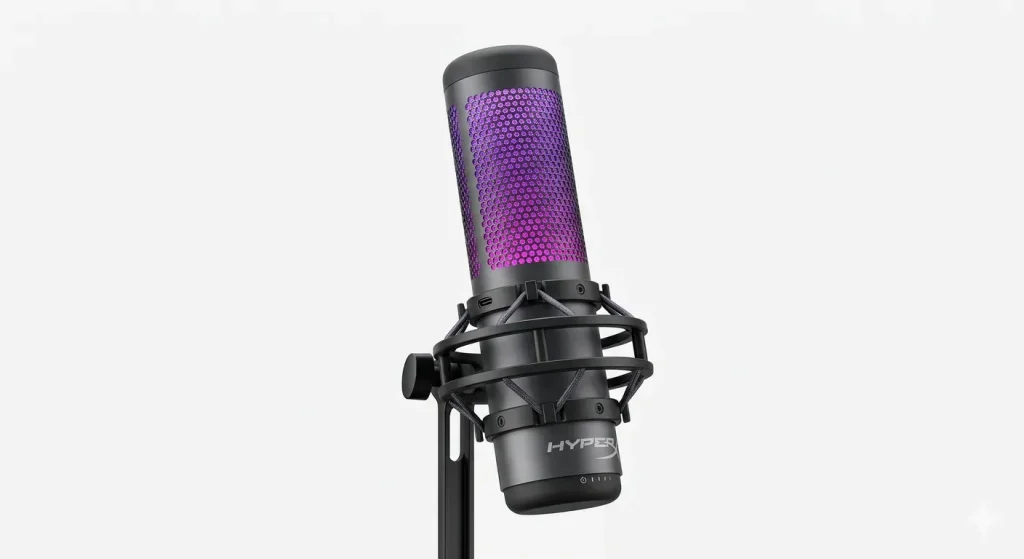
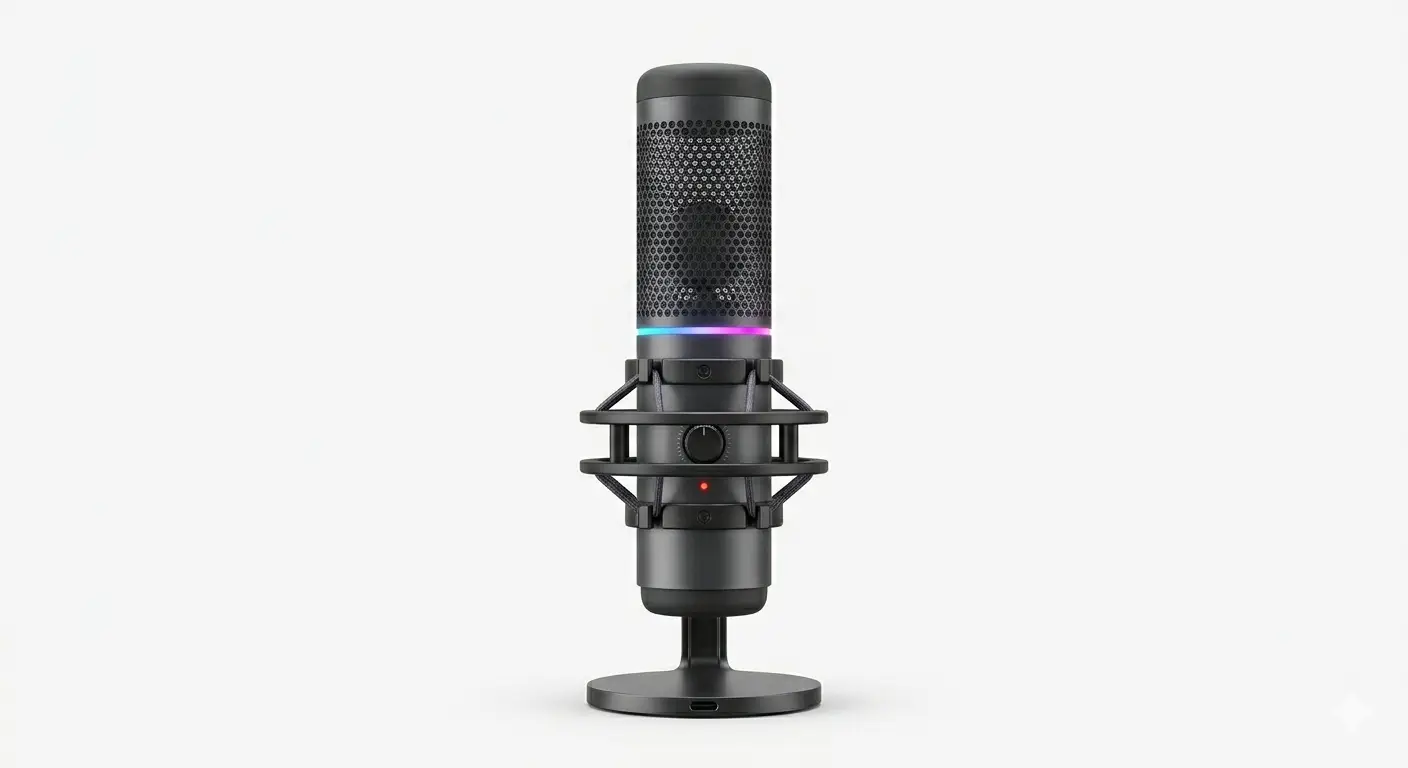
For those who want their setup to look as good as it sounds, the QuadCast S is the go-to recommendation. It’s a USB microphone, meaning you just plug it in and you’re ready to go – no extra interfaces required. The built-in pop filter is actually effective, which is a rarity; usually, these built-in ones are just for show, but this one genuinely helps with plosive sounds like P and B.
The tap-to-mute sensor on the top is probably my favorite feature in the world of gaming peripherals. There is a clear red light that turns off when you’re muted, so you never have to wonder if your stream can hear you yelling at your dog.
- Tap-to-Mute Sensor: A quick touch on the top mutes the mic instantly, with a clear visual indicator that you are “off-air.”
- Four Polar Patterns: You can switch between cardioid, omnidirectional, bidirectional, and stereo, making it useful for group interviews too.
- Included Shock Mount: It comes with its own elastic rope suspension mount, which is a $30–$50 value that most other brands charge extra for.
Looking for the best options? Check out our complete guide on Best Microphone for Gaming
4. Logitech G Yeti GX: The Classic, Refined
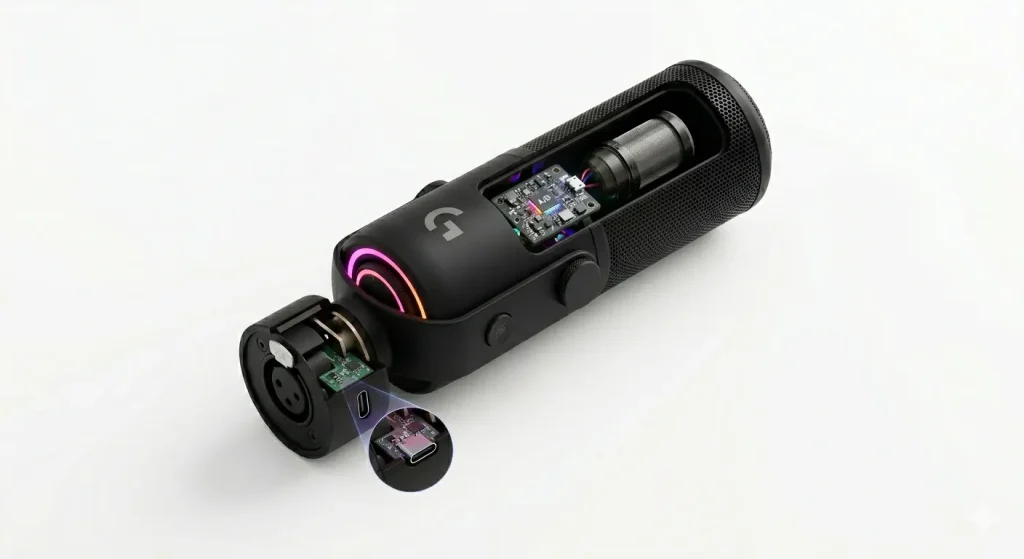
The Yeti name has been synonymous with YouTube since the early days, but the Yeti GX is a different beast entirely. It moves away from the old condenser technology of the original Blue Yeti and adopts a dynamic capsule. This was a smart move by Logitech because most gamers don’t play in soundproofed booths. By using a dynamic capsule, the Yeti GX is much better at ignoring the ambient hum of a room.
It also integrates perfectly with Logitech’s G Hub software, allowing you to use “Blue VO!CE” filters that can make even a quiet, timid voice sound like a professional announcer with just a few clicks.
- Dynamic Capsule Tech: Specifically tuned to pick up your voice while ignoring the “room sound” and background distractions.
- Super-Cardioid Pattern: A tighter pickup zone than standard mics, ensuring your voice is the only thing the audience hears.
- RGB Integration: Syncs with your other Logitech G gear, though you can turn it off if you prefer a more subtle, stealthy look.
5. Razer Seiren V3 Pro: The Minimalist Powerhouse
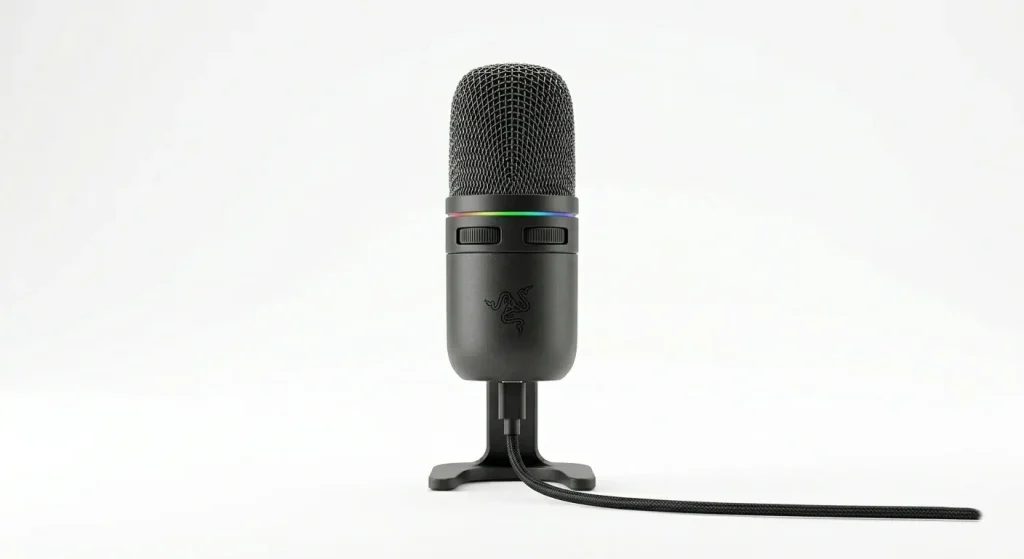
Razer has a reputation for being “loud” with their designs, but the Seiren V3 Pro is surprisingly understated and sophisticated. It’s a supercardioid condenser mic that manages to be incredibly sensitive to detail while still doing a decent job of rejecting off-axis noise. What makes it one of the best gaming microphone choices for 2026 is its high-bitrate performance.
It records at a 24-bit/96kHz sample rate, which is higher than what most people will ever need but provides a lot of “headroom” for post-processing. If you do a lot of React content or high-energy commentary where you’re moving your head a lot, this mic is very forgiving.
- High-Res Audio: The 96kHz sampling rate ensures that every nuance of your voice is captured for a studio-quality finish.
- Multi-Function Tap Sensor: Beyond just muting, you can use the tap sensor to adjust gain or toggle your headset monitoring.
- Compact Footprint: It takes up very little space on your desk or boom arm, which is ideal if you have a multi-monitor setup.
Mastering Your Audio Environment in 2026
Even if you buy the most expensive mic on this list, your audio can still sound “off” if you don’t address the space around you. Sound waves love to bounce off hard surfaces like bare walls, windows, and hardwood floors. This creates that “echo” effect that makes a $400 microphone sound like a cheap phone call. You don’t need to turn your room into a padded cell, but adding a few soft items can make a world of difference.
A thick rug under your desk or some heavy curtains over the windows can absorb those reflections before they hit the mic. I’ve even seen people throw a heavy blanket over their monitor to kill reflections during a recording session – it’s not pretty, but it works.
Positioning is the second half of the battle. Many people place their microphone too far away and then crank up the “gain” to compensate. This is a recipe for disaster because high gain picks up everything – your PC fan, your AC, and the cars outside. The goal is to keep the mic about 4 to 6 inches away from your mouth.
This allows you to keep the gain low, which naturally lowers the “noise floor” of your recording. If you find that the mic is blocking your screen, invest in a boom arm. It lets you float the mic right in front of your face while keeping the base off your desk, which also helps eliminate vibrations from your typing.
Frequently Asked Questions
Is a USB microphone good enough for pro streaming?
In 2026, the answer is a resounding yes. While XLR setups still offer more control and a slightly lower noise floor, USB mics like the SteelSeries Alias or HyperX QuadCast S have reached a level of quality that is indistinguishable from pro gear to 99% of listeners.
What is the difference between a condenser and a dynamic mic?
Condenser mics are generally more sensitive and pick up more detail, making them great for quiet, treated rooms. Dynamic mics are more “rugged” and better at ignoring background noise, which makes them the preferred choice for gamers who don’t have a soundproofed studio.
Do I need a pop filter for my gaming mic?
If you’re talking close to the mic, yes. A pop filter stops the plosives – the burst of air from sounds like “P” and “B” – from hitting the capsule and causing a clipping sound. Many modern gaming mics have these built-in, but an external one is a cheap and effective upgrade.
Can I use these microphones on a PS5 or Xbox?
Most USB microphones are “plug-and-play” with the PS5. However, Xbox has stricter USB audio requirements, and you may need a specific “licensed” version of the mic or a specialized adapter to get them to work directly with the console.
Final Thoughts
Choosing between the best gaming microphone models ultimately depends on how much you want to fiddle with settings. If you want a forever setup and don’t mind the extra cables, the Shure SM7B is the way to go. If you want to plug a cable in and start streaming in thirty seconds, the QuadCast S or the Alias will serve you incredibly well. Good audio is the invisible backbone of great content; your viewers might not always comment on how good you sound, but they will definitely notice and leave – if you sound bad. Invest in your voice, and the rest of your production will follow.